
Acer Swift Go 14 Review: Which Model Is Best?
SHORT DIRECT ANSWER
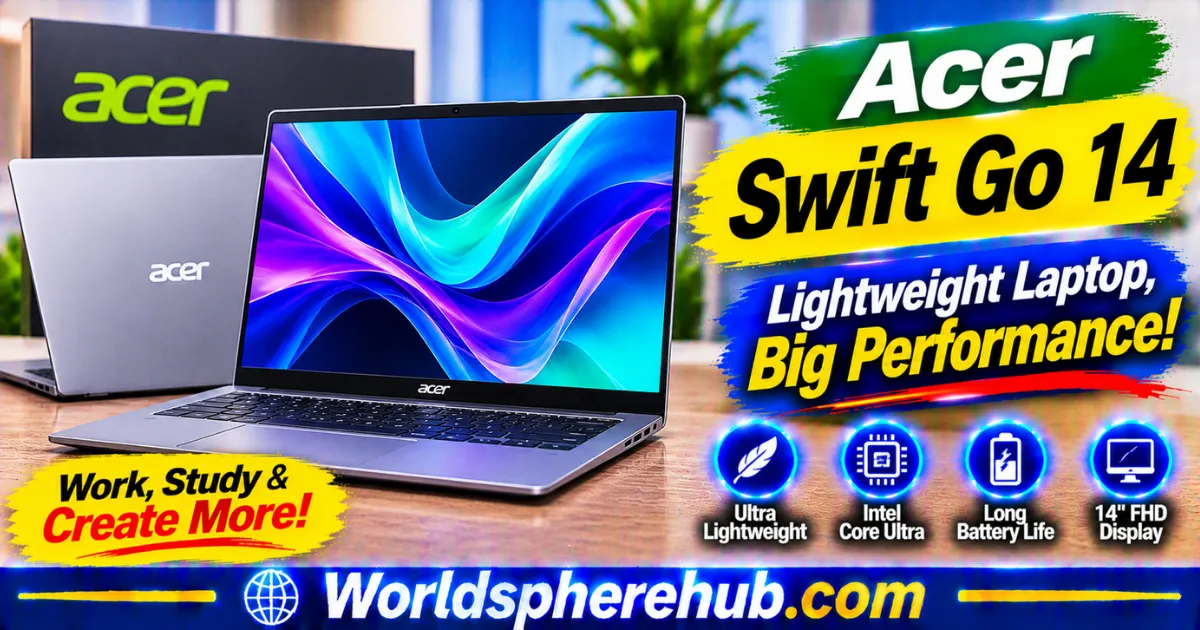
The Acer Swift Go 14 is a lightweight 14-inch Windows laptop known for its OLED display, Intel Core Ultra processors, solid port selection, and around three pounds of weight. Acer has released several generations, so processor, battery, and display options differ. Compare the exact model number before buying.
Acer Swift Go 14 Generations at a Glance
The table below summarizes the main versions mentioned in published reviews and spec sheets.
| Generation | Example Processor | Display Options | Weight |
|---|---|---|---|
| 2023 | Intel Core i7-13700H | 14-inch 2880 x 1800 OLED, 90Hz | About 2.76 lb |
| 2024 (Meteor Lake) | Core Ultra 5, 7, or 9 | WUXGA IPS or 2.8K OLED options | About 2.9 lb |
| Swift Go 14 OLED (SFG14-73) | Core Ultra 5 125U | 2880 x 1800 OLED, 90Hz | About 2.87 lb |
| Swift Go 14 AI (Lunar Lake) | Core Ultra 7 or 5 (V series) | OLED, 1920 x 1200, 120Hz | About 2.73 lb |
| 2026 (Panther Lake) | Core Ultra 7 355 | OLED | About 1.12 kg (2.5 lb) |
Notebookcheck lists the Panther Lake model as the SFG14-I71 with a Core Ultra 7 355, 16GB of DDR5 memory, and Intel Xe3 graphics.
Design and Portability
Portability is the Swift Go 14’s biggest selling point. Published specs put most versions between roughly 2.7 and 2.9 pounds, and the 2023 model measured about 12.32 by 8.58 by 0.59 inches, according to Digital Trends. That makes it easy to carry in a backpack or tote without noticing it.
Build and Materials
Creative Bloq’s review of the Swift Go 14 AI mentions a compact build with lightweight materials and a light-up trackpad. Acer positions the laptop as ultra-thin and light with all-day battery life, based on its US product page.
Practical Feel
Because Acer uses lightweight materials to hit these weights, you should not expect a premium metal feel on every configuration. Many reviewers describe the Swift Go 14 as functional and clean rather than flashy.
Display Quality: OLED Is the Reason to Buy
The screen is the biggest difference between configurations, and it matters more than anything else on the spec sheet.
OLED Models
The OLED panels are the highlights. The 2023 model has a 14-inch 2880 by 1800 OLED display with a 90Hz refresh rate, and Digital Trends called it bright and colorful. Acer’s current US page highlights a 2K OLED display with 100 percent DCI-P3 color coverage. Notebookcheck lists the Swift Go 14 OLED SFG14-73 as a 16:10, 2880 by 1800 OLED panel at 90Hz and about 243 pixels per inch. The newer Swift Go 14 AI reviewed by Creative Bloq has a 14-inch OLED panel at 1920 by 1200 and 120Hz.
OLED screens deliver deep blacks, strong contrast, and vivid colors, which makes them great for video, photo viewing, and general productivity.
IPS Models
Some versions use a 14-inch WUXGA 1920 by 1200 IPS display, sometimes with touch. PCWorld’s review of the 2024 model said this IPS display should be skipped, partly because of its weaker quality, and noted that the OLED version is available at the same list price in its configuration. If display quality matters to you, choose OLED.
Performance and Processors
Acer has used a wide range of Intel chips in this laptop, so performance varies.
Older and Mid-Range Models
The 2023 Swift Go 14 uses a Core i7-13700H, a 14-core, 20-thread processor that Trusted Reviews called a true performance processor for a laptop of this type. The 2024 version moved to Intel Core Ultra processors, including the Core Ultra 7 155H. PCWorld said the Core Ultra 7 155H did not drastically upgrade the laptop over its prior version, but it remained a competent mid-range machine.
Newer AI Models
The Swift Go 14 AI uses Lunar Lake chips. Creative Bloq’s review unit had a Core Ultra 7, Arc 140V graphics, 32GB of memory, and 1TB of storage. The reviewer called it a good all-rounder but cautioned not to push it too hard. Acer’s current US page says the laptop is available with up to Intel Core Ultra 9 (Series 2) processors with built-in Intel Arc graphics.
Real-World Use
For browsing, office work, video calls, streaming, and light photo editing, these chips are fine. Trusted Reviews said the 2024 model punches above its weight class in CPU-heavy creative apps, but warned that you will need to drop resolution and detail settings in demanding AAA games. Treat this as a productivity laptop first.
Battery Life
Battery life depends heavily on the generation. PCWorld listed a 65 watt-hour battery on the 2024 model but said battery life failed to impress. LaptopMag noted that the Intel Evo certification suggested solid battery life, with a rumored figure near 12.5 hours for one model. TechRadar’s review of the 2023 version said battery life was all-day, not too long and not too short.
Newer Lunar Lake and Panther Lake models are designed to be more efficient. Notebookcheck’s page for the Panther Lake model links to a review titled “The Fastest Intel Core Ultra 7 355, and Endless Battery,” though I have not verified those results. If battery life is your main concern, look for independent tests of the exact model you plan to buy.
Ports and Connectivity
The Swift Go 14 is better equipped than many thin laptops. LaptopMag listed two USB Type-C ports, HDMI 2.1, and a microSD slot on the 2024 model, and Acer’s US page highlights HDMI 2.1 as well.
Wireless
PCWorld lists Wi-Fi 6E and Bluetooth 5.3 for the 2024 model. Acer’s current US page mentions Bluetooth 5.4, and newer versions may support newer Wi-Fi standards, so check the specifications of your exact model.
Security
Acer’s US page highlights facial recognition, a fingerprint reader, and a privacy shutter on the current model. Be careful with older versions, since PCWorld noted that facial recognition login was not supported on the 2024 version it reviewed.
Keyboard, Trackpad, and Webcam
The Swift Go 14’s keyboard is a standard chiclet design, and Notebookcheck confirms it has a backlight on the SFG14-73. TechRadar’s hands-on described the laptop as having a great webcam, which is helpful for video meetings. Acer also advertises PurifiedView and PurifiedVoice features that aim to improve how you look and sound on calls, according to LaptopMag.
The Swift Go 14 AI has a light-up trackpad, as mentioned by Creative Bloq.
Audio
Audio is a weak spot on some versions. PCWorld listed weak speakers as a downside of the 2024 model. Acer’s current US page mentions DTS:X Ultra audio, so newer models may sound better, but headphones or external speakers are a safer choice for music and movies.
Software and AI Features
The Swift Go 14 runs Windows 11. The 2024 model came with Windows Copilot as a built-in AI assistant, according to LaptopMag. Acer markets newer versions as AI PCs thanks to the NPU in Intel Core Ultra processors, which handles certain AI tasks efficiently.
AI features can be useful for tasks such as background blur on calls, noise reduction, and some creative tools, though how much you benefit depends on your workflow.
Special Features Worth Noting
- OLED display options with strong color and contrast
- Lightweight body that suits travel and commuting
- HDMI 2.1 and microSD on several versions
- Fingerprint reader and privacy shutter on newer models
- Windows AI features on Core Ultra models
- Multiple generations to match different needs
Benefits and Limitations
| Benefits | Limitations |
|---|---|
| Lightweight and easy to carry | Many generations cause confusion |
| OLED display is a standout | Some IPS configurations are weaker |
| Good port selection | Speakers can be weak |
| Capable for productivity | Not built for heavy gaming |
| Modern Windows AI features | Battery life varies by version |
Who Should Buy the Acer Swift Go 14?
Students, professionals, remote workers, and travelers will get the most from the Swift Go 14. If you want a thin laptop with an excellent screen for everyday work, it is a strong candidate. Creators who edit photos or light video may also appreciate the OLED color performance.
It is less suitable for gamers, heavy video editors, and people who need a premium metal build. If you want serious graphics power, a laptop with a dedicated GPU is a better choice.
How to Choose the Right Version
Start with the display. Choose OLED unless you have a strong reason not to. Next, decide how much performance you need. Core Ultra 5 models handle general use, while Core Ultra 7 or 9 options give more headroom. Then check memory, since 16GB is a comfortable baseline and 32GB helps with heavier multitasking.
Finally, confirm the exact model number, read reviews for that generation, and check battery life tests. Compare it with rivals such as the Asus Zenbook 14 OLED, which Trusted Reviews mentions as a close competitor.
Frequently Asked Questions
1: Does the Acer Swift Go 14 have an OLED display?
Many versions do. Acer’s current US page highlights a 2K OLED display with 100 percent DCI-P3 coverage, but some configurations use IPS panels, so check the model number.
2: How much does the Acer Swift Go 14 weigh?
Published specs range from about 2.73 to 2.91 pounds for most versions, and Notebookcheck lists a newer Panther Lake model at 1.12 kilograms.
3: What ports does the Swift Go 14 have?
LaptopMag lists two USB Type-C ports, HDMI 2.1, and a microSD slot on the 2024 model. Ports can vary by generation, so confirm for your exact configuration.
4: Is the Swift Go 14 good for gaming?
Not really. Trusted Reviews says you need to lower resolution and detail settings in AAA games, so it suits light gaming better than heavy gaming.
5: Does the Swift Go 14 support Windows Copilot and AI features?
Core Ultra versions support AI features, and LaptopMag says the 2024 model included Windows Copilot. Features vary by model and software updates.
Explore More Continue Reading Our Guide on: Samsung Galaxy S23 FE Review: Specs & Features
Digital Oscilloscope Review: Features & Specs
Rechargeable Hand Warmer Review: Key Features
Portable CD Player With Speakers: Smart Picks
Portable CD Player Review: Features & Battery
Smart Irrigation Controller Review: Key Facts
Conclusion
The Acer Swift Go 14 offers a lightweight design, vivid OLED options, ports, and capable Intel Core Ultra performance. Limitations include generation differences, weaker IPS display options, speaker quality, and gaming limits, so confirm the model number before buying.




One Comment