
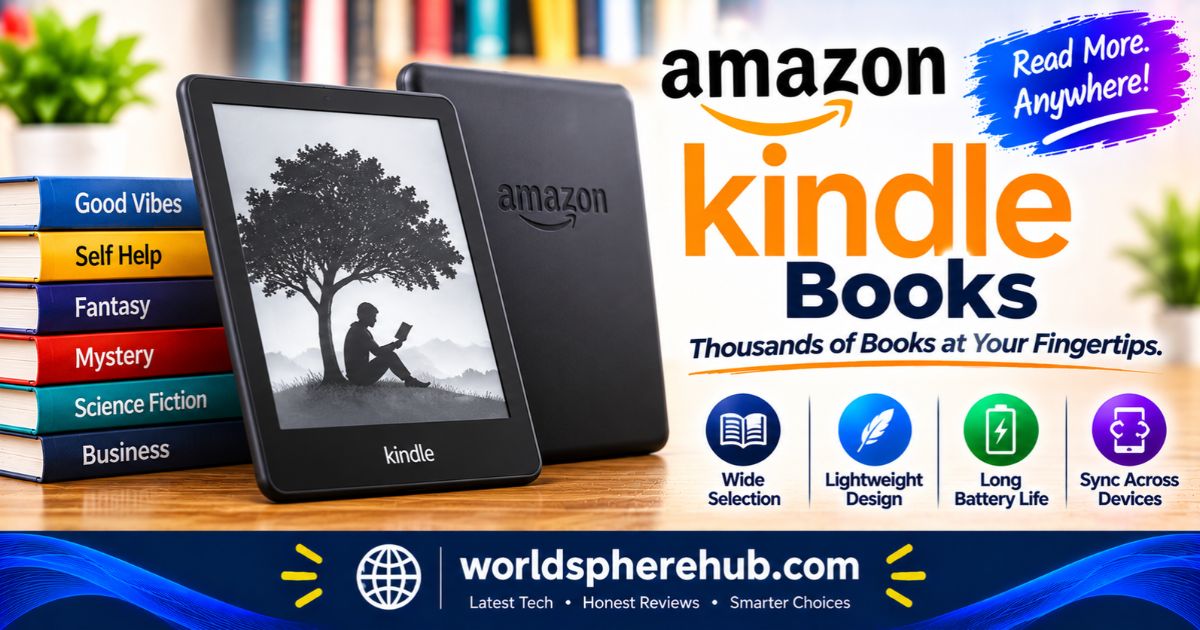
Amazon Kindle Books Review: Store, Features, Kindle+ and What to Know
SHORT DIRECT ANSWER
Amazon Kindle books are digital books delivered instantly to Kindle e-readers and the Kindle app, with Whispersync, X-Ray, Word Wise, library borrowing, and the Kindle+ subscription. They are convenient and widely available, but you license rather than own them, and Amazon’s ecosystem is largely closed.
How Amazon Kindle Books Work
Amazon Kindle books are e-books sold through the Kindle Store and read on Kindle e-readers, Fire tablets, phones, tablets, and computers. Buy a book once and it lands in your cloud library, ready to download on any compatible device signed in to your Amazon account. Since launching in 2007, the Kindle platform has become one of the most widely used e-book ecosystems in the world.
This guide is based on Amazon’s published information and professional coverage, not personal testing. Features and subscription details change often, so confirm current terms on Amazon before you commit.
Amazon Kindle Books at a Glance
| Feature | What it offers |
|---|---|
| Where to buy | Kindle Store on Amazon |
| Where to read | Kindle e-readers, Fire tablets, Kindle app, Cloud Reader |
| Sync | Whispersync keeps your place, notes, and highlights in sync |
| Reading tools | X-Ray, Word Wise, Vocabulary Builder, dictionary |
| Subscription | Kindle+ (formerly Kindle Unlimited), separate from Prime |
| Included with Prime | Prime Reading rotating selection |
| Library lending | Borrow public library books through Libby |
| Your own files | Send to Kindle for documents, PDFs, and other formats |
Where You Can Read Kindle Books
Kindle E-Readers
Amazon’s e-readers use glare-free E Ink screens designed for long reading sessions and weeks of battery life. Amazon introduced new Kindle Paperwhite and Colorsoft models in October 2026, alongside new accessories. If you own a very old Kindle, note that Amazon ended Kindle Store access for older devices released in 2012 or earlier starting in May 2026. Those devices can still read downloaded books, but they cannot buy, borrow, or download new ones.
Kindle App and Cloud Reader
You do not need a Kindle device. The free Kindle app runs on iPhone, iPad, Android phones, and tablets, and Kindle Cloud Reader works in a web browser. This flexibility makes Kindle books easy to start reading on a commute and finish on a laptop at home.
The Kindle Store Experience
Selection and Samples
The Kindle Store has one of the largest e-book selections available, from bestsellers and textbooks to self-published novels. You can download a free sample before buying, which usually includes the opening chapters. This helps you avoid wasting money on a book that does not hook you.
Instant Delivery
After you buy a book, it appears in your library within seconds over Wi-Fi or mobile data. There is no waiting for shipping, and you can store thousands of titles in the cloud without carrying a single page. Amazon also lets you set up Amazon Household so family members can share parts of a library.
Reading Features Worth Knowing
Whispersync
Whispersync automatically syncs your last page read, bookmarks, notes, and highlights across devices, including Kindle e-readers. Start on your phone in a waiting room and pick up exactly where you left off on your Kindle at night.
X-Ray
X-Ray lets you see the bones of the book, with details on characters, places, and terms. It is useful for dense novels with large casts and for non-fiction with complex terminology. Reviewers note it is not available for every title and may occasionally reveal spoilers.
Word Wise and Vocabulary Builder
Word Wise displays short definitions above harder words, while Vocabulary Builder saves words you look up for later review. These tools are helpful for language learners, students, and anyone tackling challenging vocabulary.
Notes and Highlights
You can highlight passages and add notes on any device, and everything syncs to your account. It makes research, studying, and book clubs much easier than flipping through paper pages.
Kindle+ (Formerly Kindle Unlimited)
In late October 2026, Amazon announced a soft rebrand of Kindle Unlimited as Kindle+. SlashGear reports that the service now offers more than 5 million e-books, along with audiobooks, comics, manga, and magazines. The price remains unchanged, you can still borrow up to 20 books at a time, and it remains separate from Amazon Prime.
Notable changes and cautions include:
- A bigger focus on audiobooks, including AI narration on certain titles powered by Virtual Voice, which is in beta
- Public criticism of AI narration from some readers and authors
- No ownership of borrowed books, so you lose access if you cancel
Kindle+ makes the most sense for fast readers, especially fans of series-heavy genre fiction. If you read only a few books a year, buying individual titles or borrowing from a library may be cheaper.
Prime Reading and Other Free Options
Prime Reading is a rotating selection of free books included with an Amazon Prime membership. It is smaller and more curated than Kindle+, so think of it as a sampler rather than the full catalog.
Borrowing From Your Library
You can also borrow e-books from your local public library using the Libby app. In the U.S., you can send library books to your Kindle, and they will appear in your library until the loan ends. It is one of the best ways to read for free, though popular titles can have waitlists.
Audiobooks and Whispersync for Voice
Many Kindle books have an Audible audiobook companion. With Whispersync for Voice, you can switch between reading and listening without losing your place. One report notes you can borrow a supported e-book, buy the matching audiobook at a discount, and keep the audiobook even after returning the e-book. Check the book’s page to see whether it supports this feature.
Sending Your Own Files
Send to Kindle lets you send documents and PDFs to your library using a browser tool or email. It is a convenient way to read articles, school notes, and work files on an e-reader. Sideloaded books may not support every feature, since X-Ray and some other tools do not work on files you add yourself.
Ownership, DRM, and Portability
This is the biggest caveat. When you buy a Kindle book, you generally license it rather than own it outright. Books are tied to Amazon’s ecosystem and use digital rights management, so you cannot easily move them to a non-Kindle reader. In 2025, Amazon also removed the option to download purchased books to a computer through USB, which made offline backups harder.
If long-term access matters, treat your Kindle library as long-lived but not permanent. Keep your account secure and keep up with Amazon policy changes.
Strengths and Limitations
| Strengths | Limitations |
|---|---|
| Huge selection with instant delivery | You license books rather than own them |
| Whispersync across Kindle devices and apps | Tied to Amazon’s ecosystem |
| X-Ray, Word Wise, and strong reading tools | Fewer easy backup options |
| Kindle+ for heavy readers | Borrowed Kindle+ books vanish if you cancel |
| Library borrowing through Libby | Library waitlists can be long |
Tips for Getting the Most From Kindle Books
- Download samples before buying
- Use Libby for popular titles you only need once
- Try Kindle+ during a trial period and cancel if you do not use it
- Turn on Whispersync and Amazon Household if you share with family
- Check whether an e-book has X-Ray and audiobook support before buying
Who Should Use Kindle Books?
Kindle books are ideal for frequent readers, commuters, students, and travelers who want a large library in one device. They also suit people who read on multiple devices and want their progress to sync automatically.
If you prefer owning permanent copies, reading in open formats such as EPUB across many devices, or supporting independent bookstores, you may prefer print or other e-book stores. Availability, pricing, and features vary by region and device.
Frequently Asked Questions
1: What are Amazon Kindle books?
They are digital books sold through the Kindle Store. You can read them on Kindle e-readers, Fire tablets, the Kindle app, and Kindle Cloud Reader, with your progress synced across devices.
2: Do I need a Kindle device to read Kindle books?
No. The free Kindle app works on iPhone, iPad, Android, and computers, and Cloud Reader works in a web browser.
3: What is Kindle+?
Kindle+ is the new name for Kindle Unlimited, announced in late October 2026. It offers a large catalog of e-books, audiobooks, comics, manga, and magazines, with up to 20 loans at once.
4: Can I borrow Kindle books for free?
Yes. In the U.S., you can borrow library books through the Libby app and send them to your Kindle. Prime Reading also includes a rotating selection for Prime members.
5: Do I own the Kindle books I buy?
Generally, you license them rather than own them. They live in your Amazon account and are tied to the Kindle ecosystem, which limits portability.
Explore More Continue Reading Our Guide on: Sony Wireless Headphones Review: Which Model Should You Choose?
Apple iPad A16 Case Review: Smart Folio, Fit, Protection, and Stand Angles
JBL Bluetooth Speakers Review: Which Model Is Right for You?
Apple AirPods Pro 3 Review: Noise Cancellation, Fit, Battery, and Smart Features
Motorola Moto G Power 2026 Review: A Tough Budget Phone With a Big Battery
Conclusion
Amazon Kindle books offer instant cloud delivery, a wide selection, Whispersync, X-Ray, library borrowing, and the Kindle+ subscription across devices and apps. Key limitations include licensed rather than owned content, ecosystem lock-in, subscription loan losses, and fewer easy backup options.

3 Comments