Ring Video Doorbell 3 Review: Features, Installation, and Is It Still Worth It?
SHORT DIRECT ANSWER
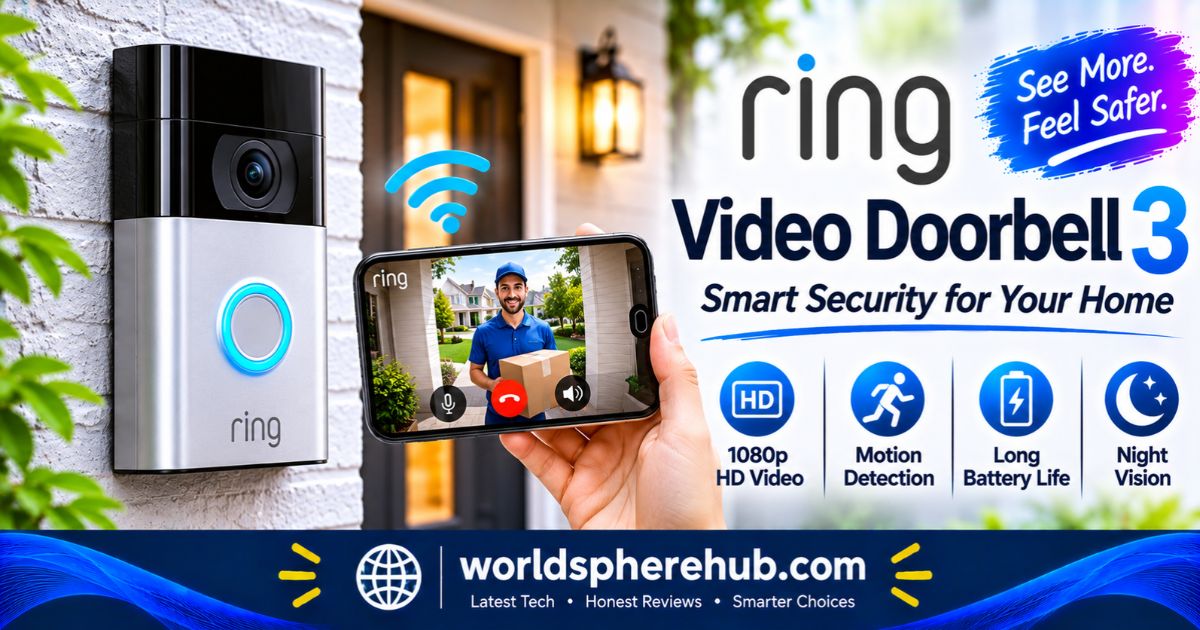
The Ring Video Doorbell 3 is a 1080p smart doorbell with a 160-degree view, night vision, dual-band Wi-Fi, a quick-release battery, and customizable motion zones. It is easy to install, but recordings require a Ring Protect plan, and newer Ring doorbells now offer sharper video.
Key Specifications at a Glance
| Feature | Details |
|---|---|
| Video | 1080p HD with night vision |
| Field of view | 160 degrees horizontal |
| Audio | Two-way talk with noise cancellation |
| Motion detection | Advanced detection with customizable motion zones and Near Zone |
| Wi-Fi | Dual-band 2.4GHz and 5GHz (802.11 a/b/g/n) |
| Power | Removable Quick Release Battery Pack, or hardwired at 8 to 24 VAC, or solar |
| Size | About 5.1 x 2.4 x 1.1 inches |
| Smart features | Live View, Alexa support, privacy zones |
| Charging | Micro USB cable for the battery pack |
| Warranty | One-year limited warranty, with lifetime theft protection |
Design and Installation
Compact Body and Faceplates
The Doorbell 3 measures about 5.1 by 2.4 by 1.1 inches, so it fits on narrow door frames. It comes with an interchangeable faceplate, with Satin Nickel included in the standard package and other finishes sold separately. Retailer listings also mention a Venetian Bronze option in some regions. The box typically includes wedge and corner kits to angle the camera for tricky doorways.
Flexible Power Options
Power is one of the biggest advantages. You can run it on the removable, rechargeable Quick Release Battery Pack, hardwire it to existing doorbell wiring or a transformer rated for 8 to 24 VAC, or connect it to a compatible solar charger. Ring says the doorbell keeps recording even when the battery pack is being charged or the power goes out when used in certain setups.
Hardwiring keeps the battery topped up and can ring your existing indoor chime. Without that wiring, you can add a Ring Chime or Chime Pro, which are sold separately, or use compatible Alexa devices to announce visitors.
Quick DIY Setup
Ring estimates an average install time of about five minutes. The process is simple: charge the battery, connect the doorbell to the Ring app, and mount it with the included hardware. Tools you may need include a Phillips screwdriver and, for brick or stucco, a masonry drill bit. A security sticker is also included to deter would-be thieves.
Video Quality
The Doorbell 3 records 1080p HD video with a 160-degree horizontal field of view and night vision. That is sharp enough to identify faces and packages in typical doorway conditions. The wide angle helps you see visitors and the area around your door.
Compared with newer Ring models, though, the field of view is narrower in the vertical direction, and resolution is lower than current sharper options. If you want head-to-toe views of packages on the ground, a newer doorbell may suit you better.
Motion Detection and Privacy Zones
Motion detection is a key upgrade over the Doorbell 2. You can customize motion zones in the Ring app to focus on your porch and ignore sidewalks or roads. A Near Zone setting adds a close-up detection area that can be set about five feet in front of the door, helping you receive alerts only for people who approach.
Other useful controls include:
- Adjustable motion sensitivity and scheduling
- Privacy zones that block parts of the view, such as a neighbor’s window
- Audio privacy controls
These tools help reduce false alerts, which is a common problem for doorbell cameras facing a busy street.
Two-Way Talk and Live View
Two-way talk with noise cancellation lets you speak to visitors from your phone. Live View lets you check your front door on demand, even when no one has rung the bell. These features work through the Ring app without a subscription, according to retailer FAQs.
You can also use compatible Amazon Alexa devices. For example, a compatible Echo Show can display video when someone rings the bell, and Alexa can announce visitors on other Echo speakers.
Battery Life and Charging
The Doorbell 3’s removable battery pack charges through a micro USB cable, and you can swap in a second pack so the doorbell is never offline. Ring does not give a single battery life figure because it varies with temperature, motion activity, Live View use, and Wi-Fi strength. In busy locations, expect to recharge more often.
If battery maintenance sounds annoying, hardwiring is the best solution. It trickle-charges the pack and gives you continuous power. Note that the micro USB charging port is older than the USB-C ports on many newer products.
Wi-Fi and Connectivity
Dual-band Wi-Fi is one of the most important upgrades. The doorbell connects to both 2.4GHz and 5GHz networks, which reduces dropouts and gives you more flexibility if your router is far from the front door. Ring recommends a minimum upload speed of 2 Mbps per device. Reviewers also note that the 5GHz option can improve reliability in crowded Wi-Fi environments.
It works with Alexa and, in some regions, other smart home platforms. A strong Wi-Fi signal at the door is essential, so check your signal before you mount it. A Ring Chime Pro or similar extender can help in tough spots.
Ring Protect Plan and Storage
The Doorbell 3 does not offer local storage. To record, review, save, and share video, you need a Ring Protect plan, which is a paid subscription. Amazon’s listing says the plan lets you review what you missed for up to 60 days. Without a plan, you can still receive alerts, use Live View, and talk to visitors, but you cannot go back and watch past events.
This ongoing cost matters when comparing doorbells. If you want to avoid subscriptions, look at products with local storage options. Also remember that features and pricing can change, so check Ring’s current plan details.
Privacy and Security Tips
Smart doorbells record the area around your home, so a few precautions are wise:
- Turn on two-factor authentication for your Ring account
- Use a strong Wi-Fi password and keep your router updated
- Set privacy zones to avoid recording neighbors’ windows and private spaces
- Check local laws and neighborhood rules about video and audio recording
- Keep the app and doorbell firmware up to date
Doorbell 3 vs Doorbell 3 Plus vs Newer Ring Models
| Feature | Video Doorbell 3 | Video Doorbell 3 Plus | Newer Ring doorbells |
|---|---|---|---|
| Video | 1080p | 1080p | Higher resolution and wider views on some models |
| Pre-Roll preview | No | Yes, 4-second black-and-white preview | Color previews on newer models |
| Wi-Fi | Dual-band | Dual-band | Dual-band and newer standards |
| Battery | Removable pack | Removable pack | Improved batteries on some models |
The Doorbell 3 Plus adds a short pre-roll video preview of what triggered an alert, which helps you see what happened before the motion event. If you are buying today, a newer model may offer better video and features, while the Doorbell 3 can still be a budget-friendly choice if you find it at a good value.
Strengths and Limitations
| Strengths | Limitations |
|---|---|
| Easy DIY installation | Recordings need a Ring Protect plan |
| Dual-band Wi-Fi | 1080p video is older, and newer models are sharper |
| Removable battery or hardwired power | Micro USB charging |
| Near Zone and motion zones | No pre-roll preview on the standard model |
| Works with Alexa | No local storage option |
Who Should Buy the Ring Video Doorbell 3?
The Doorbell 3 suits renters, homeowners without existing doorbell wiring, and anyone who wants a straightforward, battery-powered video doorbell with reliable Wi-Fi. It is a good fit for small porches and apartments, where easy mounting matters.
If you want sharper video, color previews, or the newest features, look at newer Ring models. If you dislike subscriptions, consider alternatives with local storage. Availability may vary, so check which Ring products are sold in your area.
Frequently Asked Questions
1: Does the Ring Video Doorbell 3 need a subscription?
No, basic functions such as alerts, Live View, and two-way talk work without one. A Ring Protect plan is needed to record, review, and share videos.
2: Is the Ring Video Doorbell 3 battery-powered or wired?
Both. It runs on a removable rechargeable battery pack, but it can also be hardwired to existing doorbell wiring or connected to a compatible solar charger.
3: Does the Ring Video Doorbell 3 work on 5GHz Wi-Fi?
Yes. It supports both 2.4GHz and 5GHz networks, which helps improve connection reliability in many homes.
4: What video quality does the Ring Video Doorbell 3 have?
It records 1080p HD video with night vision and a 160-degree horizontal field of view. That is clear for faces and packages, though newer Ring models offer sharper options.
5: How is the Doorbell 3 different from the Doorbell 3 Plus?
The Plus adds Pre-Roll video, a short black-and-white preview of what happened just before a motion alert. The core 1080p camera and dual-band Wi-Fi are similar.
Explore More Continue Reading Our Guide on: Amazon Kindle Books Review: Store, Features, Kindle+ and What to Know
Apple Watch Series 11 Review: Health Features, Battery Life, and Is It Still Worth It?
Apple iPad A16 Case Review: Smart Folio, Fit, Protection, and Stand Angles
JBL Bluetooth Speakers Review: Which Model Is Right for You?
Conclusion
The Ring Video Doorbell 3 offers 1080p video, dual-band Wi-Fi, a quick-release battery, near-zone motion detection, and easy DIY installation. Key limitations include a paid plan for recordings, older 1080p video, Wi-Fi dependence, and newer Ring models offering sharper views.