
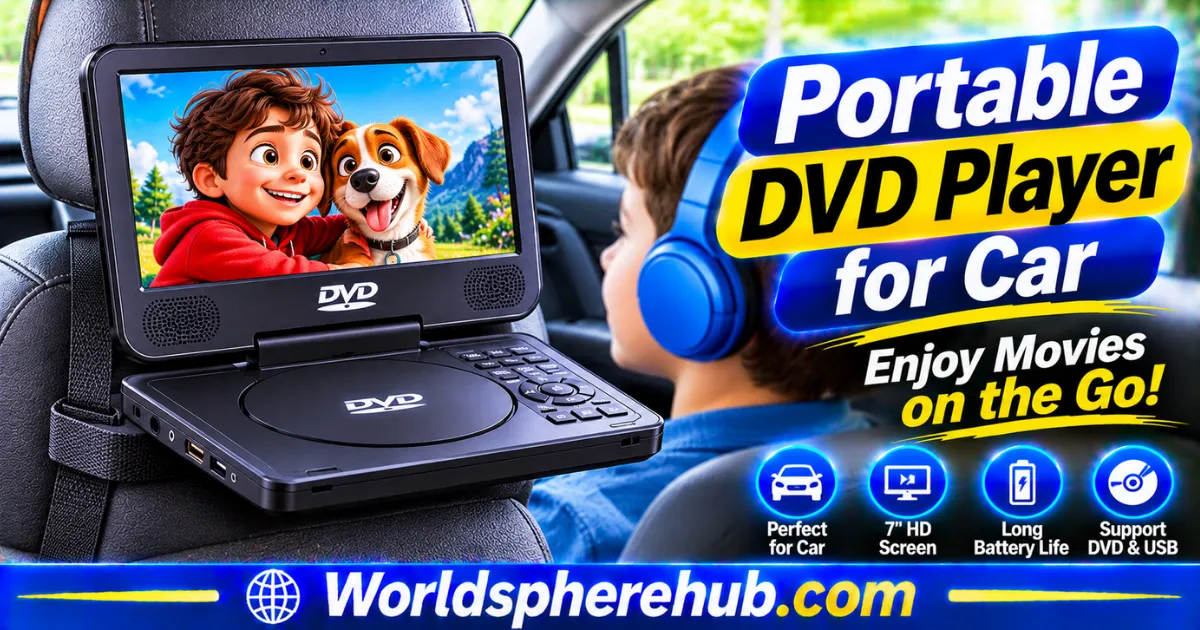
Portable DVD Player for Car: Features & Setup
SHORT DIRECT ANSWER
A portable DVD player for car use gives passengers offline movies on a swivel or headrest-mounted screen, often with a rechargeable battery and car charger. Dual-screen kits let two children watch separately. Prioritize secure headrest mounting, battery life, region-free playback, and sound options before buying, and verify specifications.
Car DVD Player Types at a Glance
Here is a quick look at the main styles and what they suit best.
| Type | Typical Setup | Best For | Key Consideration |
|---|---|---|---|
| Single swivel-screen player | One unit, often with headrest case | One child or passenger | Easy and affordable to set up |
| Dual-screen kit | Main player plus second screen | Two kids in the back seat | Needs cable between screens |
| Large-screen portable | Single bigger display | Shared viewing, RVs | Heavier and harder to mount |
| TV and DVD combo | Larger unit with tuner | Camping and RV use | Extra features vary |
Why Choose a Portable Player Over a Tablet
A tablet is flexible, but a DVD player has some practical advantages in a car. It does not need Wi-Fi or data, so there are no dropped signals and no worry about running out of mobile data. It plays discs you already own, and it keeps kids away from apps, notifications, and games.
One buying guide also points out a cost difference when something goes wrong. If a child spills juice on a DVD player or drops it at a rest stop, it is a nuisance. If the same thing happens to a tablet, it can be a much bigger loss.
Safety and Mounting: The Most Important Factor
Safety should come first when choosing a car DVD player. A guide on automotive players warns that a device sitting loosely on a child’s lap can become a projectile during a sudden stop or crash. Even a few pounds of loose weight can cause real harm in a collision. That is why mounting matters so much.
Headrest Mounts
Most car-friendly players come with a bracket, strap, or case that attaches to the back of the front seat headrest. Philips’ own instructions for its portable players, for example, describe positioning a bracket on the headrest bars, fastening it with a screw, attaching the player, and then adjusting the viewing angle.
Headrest mounting also keeps the screen at eye level, which can help reduce motion sickness compared with looking down at a lap. A forward and upward gaze is generally more comfortable for riders.
Fit Problems
Not every mount fits every vehicle. One owner reported that a mount did not fit the headrest of their SUV, though they solved it with a hook-and-loop strap. Another noted that when a headrest does not move up, attaching a mount can be difficult. Look for players that include multiple mounting options, such as brackets and straps, and check your headrest design before buying.
Cable Management
Loose wires can distract the driver and create hazards for passengers. Route cables neatly and keep chargers out of reach of children. Always secure the player so it cannot move during driving, and follow your local laws about screens in vehicles.
Display and Picture Quality
Screen size and quality vary widely. Single-screen car players often use displays in the 9 to 12.5-inch range, while dual-screen kits may offer two screens of around 7.5, 10.1, or 12.5 inches.
Resolution
Many players use resolutions such as 1024 by 600, and some larger models list 1280 by 800. A few dual-screen kits advertise 1080P screens. Still, DVDs themselves are standard definition, so do not expect the sharpness of streaming in high definition. Some owner comments describe picture quality as average or a little poor, which is normal for this category.
Swivel Screens
A swivel screen that rotates 270 degrees and flips 180 degrees offers flexibility. In a car, this helps you angle the display away from sun glare or fold it flat. One roundup notes this freedom is useful whether the player is mounted on a headrest or resting on a surface.
Dual-Screen Systems for Multiple Kids
If you have two kids in the back, a dual-screen setup can prevent a lot of arguments. A buying guide notes that a dual-player system solves the “I want to watch something different” problem instantly.
How They Work
In most kits, one screen is the main player with the disc drive, and the second is a companion screen linked by a cable. Some kits let both screens show the same movie. Others let each child watch a different movie, although this may require the second unit to have its own player or media input. Always read the product details to see which option is supported.
Practical Cautions
Cable length is a common complaint. One owner said connecting the screens was a little tight when one screen faces backward. Another described mounting a second screen for an infant while the main unit stays with a parent in the front seat, which allows the adult to choose content. This type of setup requires planning, so measure your seating arrangement before you buy.
Battery Life and Power Options
Battery life matters most on trips without a good power source, but the car itself can supply power.
Rechargeable Batteries
Many portable players list about 5 hours of playback from a built-in battery, and some larger models list around 6 hours. One dual-screen listing says each screen offers a rechargeable battery that lasts up to 5 hours. Another dual-screen model in a roundup is described as having no battery, so it depends on external power. Check this detail, because it changes how you can use the player.
Battery life also depends on screen brightness and volume. One review noted that a certain player’s battery lasted only about 1.5 discs before needing a recharge, so real-world results vary.
Car Charger and 12V Outlet
Most car-oriented players include a car charger that plugs into the 12V outlet. One guide advises checking your vehicle manual for the outlet’s amperage and suggests that dual-screen systems typically draw a few amps, so you should avoid overloading outlets with many splitters. A rechargeable battery also helps keep your place if the car bounces or the power cuts out briefly, which one owner called a lifesaver.
Sound and Audio Features
Sound quality is a mixed bag. Built-in speakers are usually small, and car noise can drown them out. Reviewers of one popular style say loud dual speakers are enough for younger kids to hear without headphones, while owners of another model said the volume range was not high enough in a noisy car.
Most players include a headphone jack, so kids can listen privately. Wireless audio is rare in this category, so keep wired headphones handy. Also note that some remotes use small batteries that you will need to replace.
Disc, USB, and Format Support
Car DVD players focus on simple playback. Most support DVDs and CDs, and many also support USB drives and SD cards. One dual-screen listing mentions video files such as AVI, VOB, and MPEG from USB drives up to 32GB. Support for modern file types such as MP4 varies, and some players do not handle them at all.
Region-Free Playback
DVDs are region-coded, which can stop discs from other regions from playing. Many portable car players advertise region-free support, which is helpful if you travel or own international movies.
Blu-ray Support
Blu-ray playback is rare. A few premium models list it, but most portable car players do not support it. If you want Blu-ray, check the specifications carefully.
Special Features Worth Noting
- Last-memory playback resumes a movie where you stopped.
- Anti-shock protection helps keep playback steady on rough roads.
- Customized headrest cases keep the player secure.
- AV cables link screens in dual setups.
- Remote controls let a parent manage playback.
Benefits and Limitations
| Benefits | Limitations |
|---|---|
| Works without Wi-Fi or data | Picture quality is often average |
| Headrest mounts keep screens at eye level | Mounts may not fit every vehicle |
| Dual-screen kits reduce backseat arguments | Cables can be short or awkward |
| Rechargeable batteries on many models | Battery life is limited |
| Plays your existing disc collection | Disc dependence and limited Blu-ray support |
Who Should Buy One?
Families with young children, road trippers, RV owners, and anyone who takes long drives away from reliable internet will get the most value. It is also useful for grandparents who keep a stash of favorite DVDs for visiting grandkids.
It may be less ideal if your passengers prefer streaming apps, or if your vehicle already includes a built-in rear entertainment system. A tablet with downloaded shows may offer more flexibility in those cases.
How to Choose the Right Player
Start with how many screens you need. For one child, a single swivel-screen player with a headrest case may be enough. For two kids, consider a dual-screen kit and confirm whether each can play a different movie.
Next, check the mounting hardware and your headrest style. Confirm the battery life, charger type, region-free support, and USB or SD compatibility. Finally, think about sound, since a noisy car may call for headphones.
Frequently Asked Questions
1: Can I use a portable DVD player in the car?
Yes. Many models include a car charger and headrest mounting hardware. Always secure the player firmly and follow local laws about screens in vehicles.
2: Is a dual-screen DVD player worth it?
It can be, especially with two children. Dual-screen kits let each child watch from their own seat, and some support separate movies. Check cable length and mounting details first.
3: How long do portable car DVD players run on battery?
Many list about 5 to 6 hours, though real results vary. Some dual-screen models have no battery and rely on car power, so check the specifications.
4: Where should I mount a car DVD player?
The back of the front seat headrest is the most common spot. It keeps the screen at eye level and secures the player. Make sure the mount fits your headrest and holds firmly.
5: Can portable car DVD players play USB or Blu-ray?
Many play USB drives and SD cards, but Blu-ray support is rare. Always check the supported formats and maximum storage size before buying.
Explore More Continue Reading Our Guide on: VHS TV Combo Review: Vintage CRT TV/VCRs, New RetroBox, and What to Know Before You Buy
Best Laptop Cooling Pad: Top Picks, Types, and How to Choose in 2026
DJI Mini 4 Pro: Features and Key Benefits
LG OLED TV Review: 2026 B6, C6, G6, and W6 Compared
ASUS ROG Gaming Laptop Review: Zephyrus, Strix, Flow, and Duo for 2026
Conclusion
A portable DVD player for car trips offers offline entertainment, headrest mounting, and dual-screen options for families. Limitations include modest picture quality, limited battery life, mount fit issues, and disc dependence, so always verify the key features carefully before buying.


2 Comments