
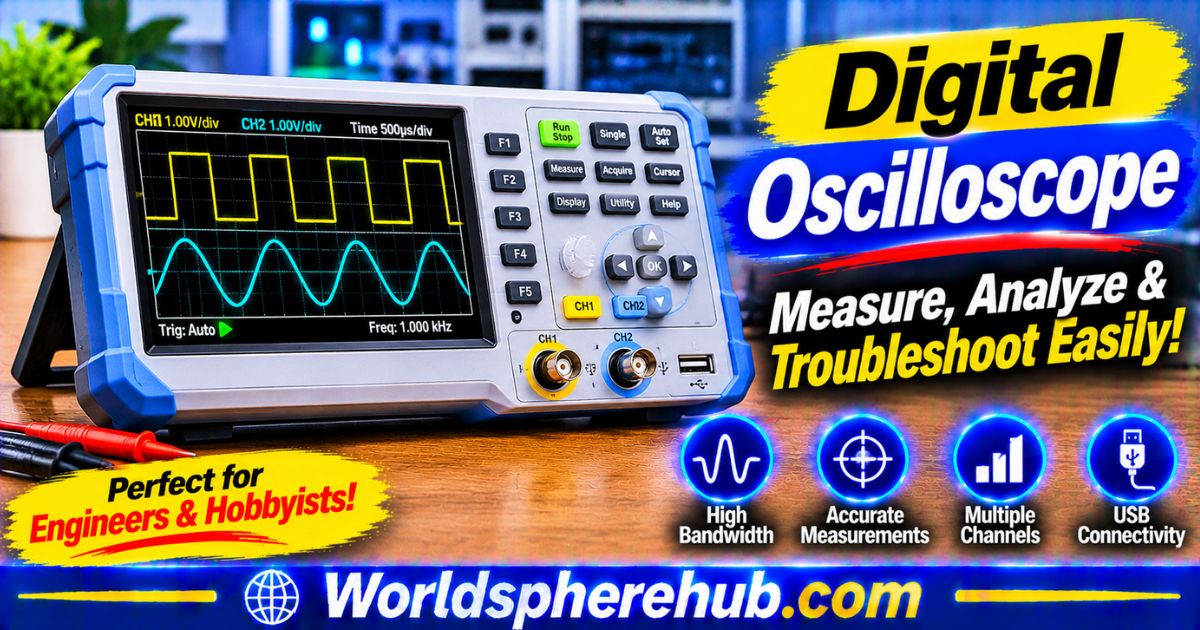
Digital Oscilloscope Review: Features & Specs
SHORT DIRECT ANSWER
A digital oscilloscope captures electrical signals and displays them as voltage over time, helping you test circuits, debug electronics, and verify signal quality. The most important specifications are bandwidth, sample rate, memory depth, channels, and triggering. Match those features and the probes to your projects before choosing a model.
Digital Oscilloscope Types at a Glance
The table below shows the main styles and who they suit.
| Type | Display | Best For | Typical Trade-Off |
|---|---|---|---|
| Benchtop | Built-in screen with knobs | Labs, workshops, serious debugging | Takes desk space |
| USB or PC-based | Uses a computer screen | Budget setups, portable work | Depends on a computer and software |
| Handheld | Small built-in screen | Field service, on-site repair | Smaller screen, often fewer features |
| Mixed-signal | Adds digital logic channels | Embedded systems | More complex and usually larger |
How a Digital Oscilloscope Works
An oscilloscope connects to a circuit with a probe. The signal enters an input amplifier, then an analog-to-digital converter (ADC) turns it into numbers. Those samples are stored in memory and drawn on the display. Controls let you adjust volts per division, time per division, and the trigger that tells the scope when to capture.
In general, an oscilloscope shows waveforms as voltage across time. Rohde & Schwarz describes these as real-time instruments that capture signals as they change. That live view is what makes them so useful for troubleshooting.
Bandwidth: The Most Important Specification
Bandwidth is the range of frequencies an oscilloscope can measure accurately. Rohde & Schwarz calls it the most important specification when buying, because you cannot make accurate measurements without enough of it.
What Bandwidth Really Means
The front end of a scope behaves like a low-pass filter. Bandwidth is defined at the point where the signal is reduced by 3 dB, which corresponds to roughly a 30 percent drop in voltage. A signal at the scope’s rated bandwidth will already appear noticeably smaller than it really is.
How Much Do You Need?
For simple sine waves, choose a bandwidth somewhat above the highest frequency you will measure. The guide gives an example: for a 100 MHz sine wave, select a scope with 150 MHz or more. For digital signals, the guideline is higher. A common rule says to pick a bandwidth three to five times faster than your fastest clock or data signal, since the sharp edges of digital signals contain frequency content far above the fundamental.
You can also estimate bandwidth from rise time using 0.35 divided by rise time. A signal with a 600 picosecond rise time has frequency content up to about 583 MHz. Many scopes also let you upgrade bandwidth through software options, up to a maximum, which can protect your investment.
Too Much Bandwidth Can Hurt
More bandwidth also means more broadband noise. Many scopes include a bandwidth limit filter, such as a 20 MHz filter often used for power supply measurements. Use it when you want cleaner readings of slower signals.
Sample Rate and ADC Resolution
Sample rate describes how many times per second the scope digitizes the signal. It is usually listed in gigasamples per second (GS/s).
The 2.5 Times Rule
At minimum, the sample rate should be at least 2.5 times the bandwidth. For example, a scope with 1.5 GHz of bandwidth should sample above 3.75 GS/s. Most modern digital scopes meet this requirement, but there is a catch. Some scopes interleave channels to reach their top sample rate, which means the rate drops when you use more than one channel. The Rohde & Schwarz example is a 300 MHz scope that samples at 2 GS/s on one channel but 1 GS/s with two channels active. Always check the multi-channel sample rate.
ADC Bits
The ADC’s bit count determines vertical resolution. An 8-bit ADC produces 256 voltage levels, a 10-bit ADC produces 1,024, and a 12-bit ADC produces 4,096. More bits mean finer detail, which helps when you look at small signals riding on large ones. Some scopes offer high-resolution modes that trade bandwidth for effective resolution. Datasheets can reveal limitations, since not every scope uses its full bit depth at all times.
Accuracy, Resolution, and Sensitivity
These terms are not the same. Accuracy is how close a measurement is to the true value. Resolution is the smallest change the system can represent. Sensitivity is the smallest detectable change, which combines accuracy and resolution. A scope with high resolution is not automatically accurate, so read specifications carefully.
Memory Depth
Memory depth is the number of samples the scope can store in one acquisition. For example, a 10 megapoint buffer holds up to ten million samples per capture.
Why does this matter? Sample rate and memory depth together determine how long you can capture at full speed. A deep memory lets you record a long event without lowering the sample rate, then zoom into details afterward. That is valuable when you are hunting rare glitches.
Triggering
Triggering is what makes an oscilloscope stable and useful. The trigger system watches for a specific event and starts the capture when it occurs.
Common Trigger Types
Edge triggering is the most common. Better scopes add pulse width, runt pulse, logic pattern, and serial protocol triggers. The Rohde & Schwarz guide notes that triggers can identify events such as pulse widths, runt voltages, logic levels, and serial packets. Advanced options include adjustable hysteresis, which helps ignore noise, and sequence triggering, which sets a two-stage condition.
Why It Saves Time
A full-featured trigger system can shorten debugging significantly. If you work with communication buses such as I2C, SPI, or UART, protocol triggering and decoding are especially useful. Check whether decoding options come built in or as paid add-ons.
Channels
Most scopes have two or four analog channels. Two channels are fine for many hobby projects, such as comparing an input and an output. Four channels help when you work with power electronics, motor drives, or multi-line digital buses. Some mixed-signal models add digital channels for logic analysis.
Remember that using more channels can reduce sample rate on some designs, as noted earlier.
Display and Usability
Display quality affects how easily you can interpret signals. Look for a screen large enough to show details without squinting, with a fast refresh so the waveform feels responsive. Some scopes use touchscreens, while others use physical knobs. Many people prefer dedicated knobs for vertical scale, horizontal scale, and trigger level, because they make adjustments faster than menus.
For USB-based scopes, the display is your computer screen. That can offer a large, flexible view, but the software quality and computer performance become part of the experience.
Probes and Accessories
The probe is part of the measurement system, so a great scope paired with a poor probe will disappoint.
Probe Basics
Most scopes include passive probes, often switchable between 1x and 10x. The 10x setting reduces loading on the circuit and generally supports higher bandwidth. Probes have their own bandwidth ratings, and they should match or exceed your scope’s bandwidth. Compensation adjustment helps ensure square waves look correct.
Grounding and Safety
Ground leads and clips can add inductance and distort high-speed signals. Use short ground connections when you can. Also remember that scope grounds are usually connected to earth ground, so connecting the probe ground to a live circuit can cause damage or injury. If you measure mains-powered or high-voltage circuits, use isolated or differential probes and follow the manufacturer’s safety ratings.
Connectivity and Software
Modern scopes offer several ways to move data. USB ports let you save screenshots and waveforms to a flash drive. Many also provide LAN or Wi-Fi for remote control and file transfer. USB scopes rely on the computer for storage and analysis.
Software features can add real value. Common tools include automatic measurements such as frequency, rise time, and peak-to-peak voltage, along with FFT for frequency analysis, math functions, and cursors. Check what is included and what costs extra. Also look at how the scope exports data, since you may want CSV files or images for documentation.
Power and Portability
Benchtop scopes run on mains power and are not meant to move around much. Handheld models usually have batteries, which makes them useful for fieldwork. USB scopes are very portable, but they need a laptop and usually draw power from the USB port. Choose based on where you will work.
Special Features Worth Noting
- Segmented memory for capturing repeated events
- Protocol decoding for serial buses
- Waveform math and FFT for frequency domain analysis
- Built-in function generator on some models
- Mask or limit testing for production checks
- Software bandwidth upgrades on certain models
Benefits and Limitations
| Benefits | Limitations |
|---|---|
| Shows signals over time, not just a number | Specifications can be confusing |
| Finds glitches and noise that meters miss | Probes and accessories add cost and complexity |
| Triggers and decoding speed up debugging | Higher bandwidth means more noise |
| Upgrade paths on many models | Sample rate may drop with more channels |
| Useful from hobby to professional work | Learning curve for beginners |
Who Should Buy a Digital Oscilloscope?
Electronics hobbyists, students, repair technicians, embedded developers, audio engineers, and anyone who works with circuits can benefit. If you only need to check battery voltage or continuity, a multimeter is enough. If you debug signals, timing, noise, or communication, a scope quickly becomes essential.
How to Choose the Right One
Start with your signals. Estimate the highest frequency and rise time you will measure, then choose bandwidth with headroom. Check sample rate with all channels in use, plus memory depth and trigger types. Decide how many channels you need and whether you want protocol decoding.
Finally, consider the probes, display, connectivity, and upgrade options. A scope that matches your actual work is better than one with impressive numbers you never use.
Frequently Asked Questions
1: What bandwidth do I need for a digital oscilloscope?
For sine waves, pick a bandwidth somewhat higher than your highest frequency, such as 150 MHz for a 100 MHz signal. For digital signals, aim for three to five times your fastest clock or data rate.
2: What is the difference between bandwidth and sample rate?
Bandwidth is the frequency range the scope can accurately measure. Sample rate is how often it digitizes the signal. A common guideline is a sample rate at least 2.5 times the bandwidth.
3: Why does memory depth matter?
Memory depth sets how many samples a scope can store. More memory lets you capture longer events at high sample rates and then zoom in to examine details.
4: How many channels do I need?
Two channels work for many hobby tasks. Four channels are better for power electronics, motor control, or multiple digital lines. Check whether sample rate drops when more channels are active.
5: Do I need special probes?
Most scopes include basic passive probes. For high-speed work or high-voltage circuits, you may need higher-bandwidth, differential, or isolated probes, and you should follow safety ratings.
Explore More Continue Reading Our Guide on: Portable DVD Player for Car: Features & Setup
Portable DVD Player Review: Features & Travel
Bluetooth Keyboard Review: Features & Comfort
Wireless Charging Pad: Qi2 Speed, Cases, Tips
USB-C Charger Buying Guide: Wattage Made Easy
Wireless HDMI Transmitter: Ditch Cables Today
Conclusion
A digital oscilloscope provides essential waveform visibility through bandwidth, sampling, memory depth, triggering, and decoding tools. Limitations include specification complexity, probe requirements, bandwidth upgrade limits, and learning curves, so choose based on your signals and verify datasheet details before buying.




6 Comments