Remarkable Paper Pro: Paper Feel, Color Focus
SHORT DIRECT ANSWER
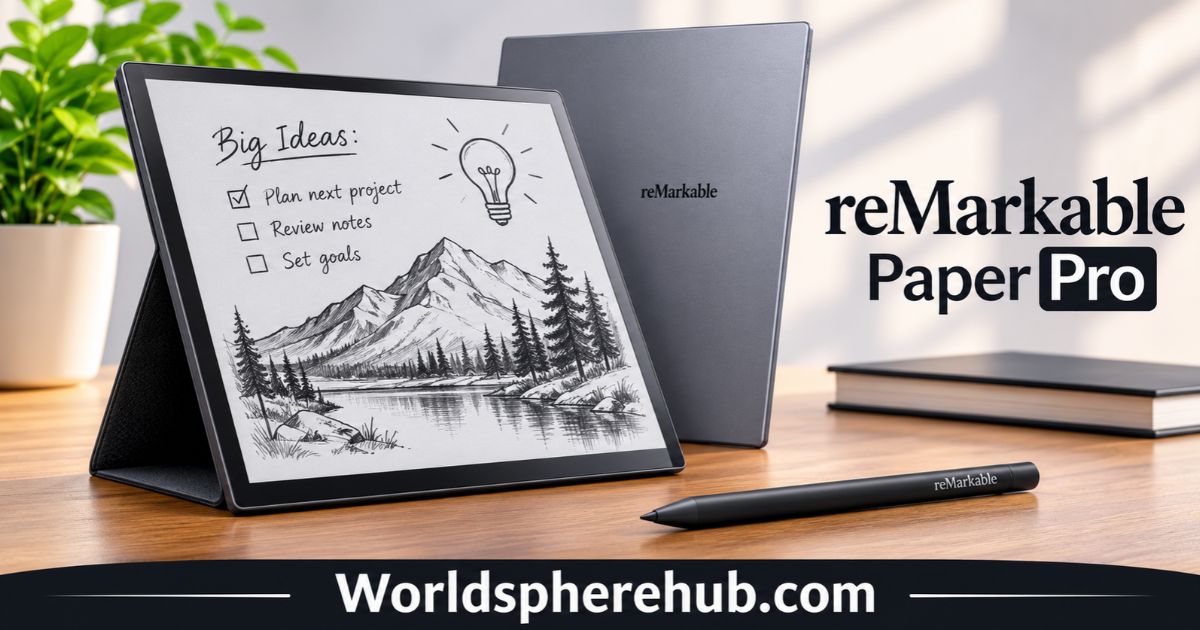
The remarkable Paper Pro is an 11.8-inch color e-paper tablet for writing, sketching, and reading, with a Canvas Color display, front light, Marker pen, and distraction-free software. It feels like paper, but it has no apps, slower color refresh, and optional Connect subscription features.
Key Specifications at a Glance
| Feature | Details |
|---|---|
| Display | 11.8-inch Canvas Color (based on E Ink Gallery 3), 4:3, 2160 x 1620 pixels, 229 ppi |
| Light | Adjustable front light |
| Processor | 1.8GHz quad-core Cortex-A53 |
| Memory and storage | 2GB LPDDR4 RAM, 64GB internal storage |
| Battery | About 5,030mAh |
| Size and weight | 274.1 x 196.6 x 5.1 mm, about 525g |
| Pen | Marker or Marker Plus, with tilt and pressure sensitivity |
| Cases | Book Folio and Type Folio keyboard |
| File support | PDF and ePUB |
| Cloud services | Google Drive, Microsoft OneDrive, Dropbox |
Design and Build Quality
The Paper Pro has a metal chassis that is only 5.1 mm thick, and it weighs about 525 grams. It is taller and wider than the reMarkable 2, since it grew to fit the larger 11.8-inch screen. Engadget noted that the new tablet is roughly an inch taller and a quarter-inch wider than its predecessor.
The design is clean and understated. Digital Trends noted little rubber feet that keep the tablet from sliding on a desk and contain magnets for attaching the Book Folio or Type Folio. The Marker pen clings magnetically to the side and recharges there, which is a nice upgrade over earlier models. Three bezels are uniform, while the bottom bezel is thicker and doubles as a grip area.
The Canvas Color Display
The screen is the headline feature. remarkable’s Canvas Color display is based on E Ink Gallery 3, a color technology that uses tiny color ink particles that move around the screen. Unlike color filter e-readers, such as Kaleido-based devices, the black-and-white and color content have the same 229 ppi resolution. Liliputing noted that Kaleido-based displays have 300 ppi for black-and-white but only 150 ppi for color.
Do not expect OLED-like color. SlashGear cautioned against expecting saturated hues like an iPad Pro, and reviewers note that colors look soft and muted, closer to colored pencils or markers. Color changes can also refresh more slowly than black-and-white strokes, which is a characteristic of E Ink Gallery panels.
Texture and Front Light
The textured glass surface feels close to writing on real paper, especially with the Marker’s replaceable carbon tips. A front light, which shines at the screen instead of at your eyes, makes the tablet easy to use in the dark. TechRadar highlighted that the reMarkable 2 could not be read in the dark, so this is a major improvement.
Writing Experience
This is what the Paper Pro does best. reMarkable says the pen-to-ink distance is less than 1 mm, and reviewers praise the minimal latency. Digital Trends listed minimal latency among its pros. The Marker supports tilt and pressure sensitivity, and the Marker Plus adds an eraser on the opposite end. Both models attach magnetically and recharge on the side of the tablet. The standard Marker is gray, while the Marker Plus is black, according to T3.
You get nine writing tools and nine distinct colors you can blend to create more, along with templates for planning, notes, music, and sketching. You can resize, undo, cut, copy, and paste, which gives it more flexibility than a paper notebook. The tablet is not compatible with older Markers, since the new Marker models were built for the Canvas Color display.
Reading and Working With Documents
The Paper Pro supports PDF and ePUB files. You can annotate PDFs, mark up contracts, read research papers, and take notes alongside documents. Cloud integrations include Google Drive, Microsoft OneDrive, and Dropbox, so files can move between devices.
It is not a full e-reader like a Kindle. Digital Trends and other reviewers note that it is built for writing and reading work documents rather than browsing a bookstore. Reading ePUB books works, but there is no integrated book store, and the large size is better for documents than novels.
Typing and Accessories
Type Folio
The Type Folio is a keyboard case with backlit keys and a palm rest. Digital Trends found it comfortable, with good tactile feedback and travel, and said it is a must for productivity if you want to type. reMarkable does not support third-party keyboards. The old reMarkable 2 Type Folio will not fit the Paper Pro because the new tablet is larger.
Book Folio
The Book Folio is a protective cover available in different materials, including weave and leather. It keeps the tablet safe on the go and attaches magnetically. Several reviewers noted that accessories add significantly to the total cost, so factor them into your budget.
Software and the Connect Subscription
The remarkable software is intentionally simple. It organizes your notes in folders, supports handwriting tools, and provides templates. There is no web browser or app store, which helps you stay focused. T3 described the experience as distraction-free in a way that an iPad is not.
reMarkable also offers an optional Connect subscription. SlashGear noted that without Connect, you lose unlimited cloud storage, and cloud sync is limited to files used or synchronized within the last 50 days. Connect also allows you to use up to five devices on one account and includes a template marketplace called Method, according to T3. The tablet works without a subscription, but some cloud and convenience features depend on it.
Performance and Storage
The Paper Pro uses a 1.8GHz quad-core Cortex-A53 processor with 2GB of RAM and 64GB of storage. That sounds modest, but the software is lightweight and the processor is designed for e-paper. Liliputing noted that the tablet has a bigger screen, a faster processor, twice as much RAM, and eight times as much storage as the reMarkable 2. Reviewers did not report slow performance in everyday writing and reading, though large documents and complex color drawings may take longer to render.
Battery Life and Charging
The Paper Pro has a battery of about 5,030mAh. E-paper screens use very little power when the image is not changing, so battery life is much longer than on a typical tablet. The front light and color rendering can use extra power, so heavy use will shorten the battery’s runtime. Charging is through USB-C.
How It Compares
| Feature | reMarkable Paper Pro | reMarkable 2 | Kindle Scribe | iPad |
|---|---|---|---|---|
| Display | 11.8-inch color | 10.3-inch black and white | 10.2-inch black and white | LCD or OLED |
| Front light | Yes | No | Yes | Backlit |
| Writing feel | Paper-like | Paper-like | Paper-like | Glass |
| Apps | No | No | Limited | Full app store |
| Best for | Distraction-free notes | Minimalist notes | Reading and notes | Everything |
If you want a note-taking device that blocks distractions, the Paper Pro stands out. If you want a multi-purpose tablet, an iPad or Android tablet is a better choice. If you want a cheaper and simpler device, the reMarkable 2 is still sold. reMarkable has also introduced a smaller Paper Pro Move, so compare sizes if portability matters.
Strengths and Limitations
| Strengths | Limitations |
|---|---|
| Natural, paper-like writing feel | No apps, browser, or media |
| Color display with front light | Colors are muted and refresh slowly |
| Thin metal design and long battery life | Accessories add significant cost |
| Distraction-free software | Some features depend on Connect |
| Tilt and pressure-sensitive Marker | Only 2GB of RAM |
Who Should Buy the reMarkable Paper Pro?
The Paper Pro is a great fit for students, writers, designers, lawyers, and professionals who take lots of handwritten notes and annotate documents. It is also a strong match for people who want to reduce screen distraction and enjoy the feel of writing on paper.
If you want a general-purpose tablet, a color-rich display, or a lower-cost option, look elsewhere. Prices and availability vary by region and bundle, so compare current listings and read the return policy.
Frequently Asked Questions
1: Does the remarkable Paper Pro have a color display?
Yes. It has an 11.8-inch Canvas Color display, based on E Ink Gallery 3, with nine writing colors. Colors are muted compared with LCD or OLED tablets.
2: Does the Paper Pro have a front light?
Yes. It is the first remarkable tablet with an adjustable front light, which lets you read and write in the dark.
3: Do I need a subscription for the Paper Pro?
No, the tablet works without one. The optional Connect subscription adds features such as unlimited cloud storage and use of up to five devices on one account.
4: Can I install apps on the Paper Pro?
No. The tablet is designed for writing, drawing, and reading documents, and it does not have a web browser or app store.
5: Is the remarkable Paper Pro compatible with older pens or keyboards?
No. The Marker pens and Type Folio are designed for the Paper Pro’s Canvas Color display and larger size, and older accessories do not fit.
Explore More Continue Reading Our Guide on: Motorola Moto G Play 2026 Review: Pros & Cons
Samsung Galaxy A35 5G Review: Is It Worth It?
Samsung Galaxy A15 5G: Big AMOLED, Small Cost
Samsung Galaxy S23 FE Review: Specs & Features
Digital Oscilloscope Review: Features & Specs
Rechargeable Hand Warmer Review: Key Features
Conclusion
The remarkable Paper Pro offers an 11.8-inch Canvas Color display, front light, natural paper-like writing, thin metal design, and distraction-free note-taking. Key limitations include no apps, slow color refresh, optional Connect subscription features, costly accessories, and only 2GB of RAM.