Canva Review: Features, Pricing, Pros & Cons in 2026
Short Direct Answer
It is one of the most popular online graphic design platforms, offering easy-to-use design tools, thousands of templates, AI-powered features, and collaboration options. It is ideal for beginners, students, businesses, marketers, and content creators who want to create professional designs without advanced graphic design skills.
Introduction
It has become one of the most popular online graphic design platforms, helping millions of people create professional-quality visuals without advanced design experience. From social media graphics and presentations to business cards and marketing materials, Canva offers an easy way to design content for personal and professional use.
Whether you’re a student, small business owner, marketer, teacher, or content creator, it provides powerful tools that simplify the design process. Its drag-and-drop editor, extensive template library, and AI-powered features make it a practical choice for users who want high-quality results in less time.
Canva Overview
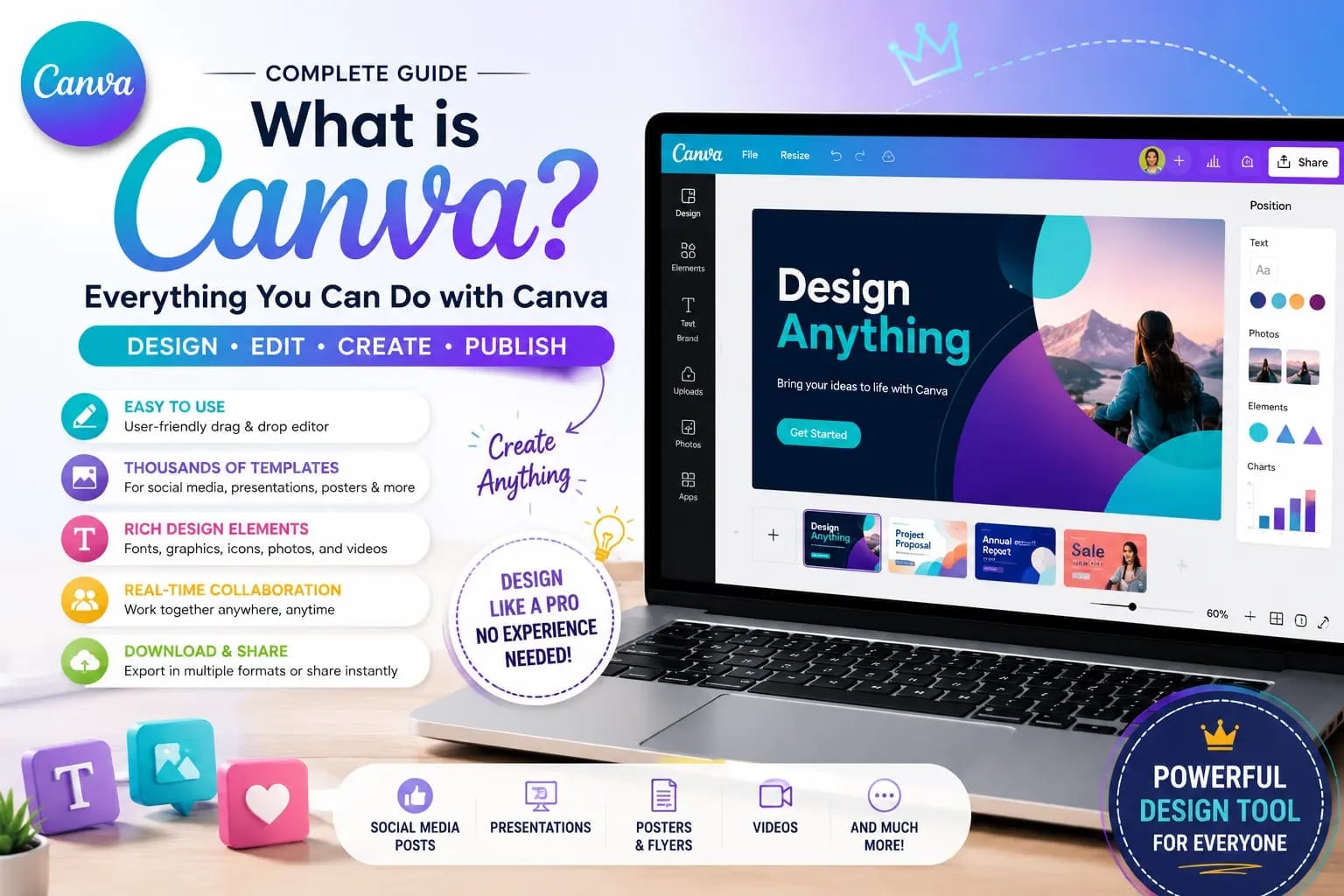
It is a cloud-based graphic design platform that allows users to create visual content directly from a web browser or mobile app. Since its launch, it has evolved into a complete creative workspace offering design, collaboration, document creation, video editing, and AI-powered content generation.
Key Features
Some of the most popular features include:
- Drag-and-drop design editor
- Thousands of customizable templates
- AI-powered design tools
- Photo and video editing
- Presentation creator
- Social media content planning
- Brand Kit for businesses
- Team collaboration
- Cloud storage
- Mobile and desktop access
These features make Canva suitable for beginners while still offering enough flexibility for experienced users.
User Interface and Ease of Use
One of Canva’s biggest strengths is its clean and intuitive interface. Everything is organized in a way that allows users to start designing within minutes.
Beginner-Friendly Dashboard
The dashboard is simple to navigate and provides quick access to recent projects, templates, and design categories.
Users can easily create:
- Instagram posts
- Facebook covers
- YouTube thumbnails
- Presentations
- Flyers
- Posters
- Business cards
- Invitations
- Infographics
The organized layout reduces the learning curve, making Canva accessible to users of all skill levels.
Drag-and-Drop Editor
The drag-and-drop editor is one of Canva’s most valuable features. Users can move text, images, icons, videos, and shapes into place without needing technical design knowledge.
Benefits of the editor include:
- Easy customization
- Quick resizing
- Real-time editing
- Instant previews
- Smooth workflow
- Automatic saving
This simple editing experience allows users to focus on creativity instead of complicated software tools.
Templates and Design Tools
Templates are one of the primary reasons why it has become so popular. Instead of starting with a blank canvas, users can customize professionally designed layouts for almost any purpose.
Extensive Template Library
Canva offers templates for nearly every type of project.
Popular categories include:
- Social media graphics
- Presentations
- Marketing materials
- Resumes
- Logos
- Certificates
- Newsletters
- Brochures
- Menus
- Email headers
Many templates are fully customizable, allowing users to match their own branding and style.
Design Elements
Beyond templates, Canva provides an extensive collection of creative assets.
Available design elements include:
- Icons
- Shapes
- Illustrations
- Photos
- Videos
- Audio tracks
- Charts
- Frames
- Stickers
- Backgrounds
These resources help users build professional-looking designs without searching for assets elsewhere.
AI Features
Artificial intelligence has become an important part of the Canva experience. The platform includes several AI-powered tools that help users create content more efficiently.
Magic Studio Tools
Canva’s AI tools simplify many repetitive design tasks.
Popular AI features include:
- Magic Design
- Magic Write
- Background Remover
- Magic Eraser
- Text-to-image generation
- Automatic resizing
These tools save time while helping users produce polished designs quickly.
AI for Content Creation
AI also assists with creating written and visual content.
Users can generate:
- Marketing copy
- Presentation text
- Social media captions
- Blog graphics
- Promotional visuals
- Creative concepts
These capabilities make Canva useful for marketers, educators, entrepreneurs, and content creators.
Performance
Performance is another area where it performs well. Because it operates primarily in the cloud, users can access their projects from multiple devices without worrying about local storage.
Smooth Editing Experience
The platform responds quickly during most design tasks.
Users can comfortably:
- Edit large projects
- Upload media
- Collaborate with teams
- Switch between designs
- Export completed files
- Save work automatically
Its responsive interface helps maintain productivity even when working on complex projects.
Cross-Platform Accessibility
Canva works across several platforms, making it convenient for users who switch between devices.
Supported platforms include:
- Web browsers
- Windows
- macOS
- Android
- iPhone
- iPad
Projects automatically sync through the cloud, allowing users to continue working wherever they are.
Part 1 Summary
Canva stands out for its beginner-friendly interface, extensive template collection, AI-powered design tools, and smooth overall performance. Its combination of simplicity and powerful creative features makes it an excellent platform for students, professionals, businesses, and content creators who want to produce high-quality visual content efficiently.
Canva Pro Features
While the free version offers plenty of useful tools, it unlocks advanced features that help individuals and businesses create professional-quality designs more efficiently. It is especially valuable for marketers, content creators, and teams that produce visual content regularly.
Premium Templates and Assets
Canva Pro subscribers gain access to a much larger creative library.
Premium resources include:
- Millions of stock photos
- Premium videos
- Exclusive templates
- Professional illustrations
- Icons and graphics
- Audio tracks
- Animated elements
These assets help users create polished designs without purchasing content from multiple sources.
Brand Kit
The Brand Kit allows businesses to maintain a consistent visual identity across all projects.
Users can save:
- Brand logos
- Color palettes
- Custom fonts
- Brand templates
- Design styles
This feature is particularly useful for companies managing multiple marketing campaigns.
AI-Powered Productivity Tools
Canva Pro includes additional AI features that simplify design tasks.
Popular tools include:
- Magic Resize
- Background Remover
- Magic Eraser
- Magic Edit
- Magic Expand
- AI image generation
These tools reduce editing time and improve overall productivity.
Collaboration Tools
One of Canva’s biggest advantages is its ability to support teamwork. Multiple users can work on the same project, making it an excellent platform for businesses, schools, and creative teams.
Real-Time Collaboration
Team members can edit projects together from different locations.
Collaboration features include:
- Live editing
- Shared folders
- Team workspaces
- Comments
- Design approvals
- Version history
These features improve communication and streamline design projects.
Sharing Options
Canva makes it easy to share designs with clients, coworkers, or classmates.
Users can:
- Share editable links
- Set viewing permissions
- Allow comments
- Download completed projects
- Present designs online
Flexible sharing options make collaboration simple and efficient.
Export and File Formats
After completing a design, it offers several export options suitable for both digital and print use.
Supported File Formats
Users can download projects in multiple formats, including:
- PNG
- JPG
- PDF Standard
- PDF Print
- SVG (Pro)
- MP4
- GIF
- PPTX
These options make Canva suitable for social media, presentations, business documents, and professional printing.
Print-Ready Designs
Canva also supports high-quality printing.
Users can create:
- Business cards
- Flyers
- Brochures
- Posters
- Invitations
- Certificates
Many designs are optimized for commercial printing with minimal adjustments.
Mobile App Experience
The Canva mobile app provides nearly all of the essential features available on the desktop version.
Easy Mobile Editing
The app allows users to design and edit projects directly from their smartphones or tablets.
Popular mobile tasks include:
- Creating social media posts
- Editing presentations
- Uploading photos
- Adding text
- Applying templates
- Exporting designs
The interface remains simple and responsive on smaller screens.
Cloud Synchronization
Since Canva is cloud-based, projects stay synchronized across devices.
Benefits include:
- Automatic saving
- Instant syncing
- Access from multiple devices
- Easy file management
- Seamless workflow
Users can begin a project on a computer and finish it later on a mobile device.
Pricing and Plans
Canva offers flexible pricing options for different types of users.
Canva Free
The free plan includes many useful features such as:
- Thousands of templates
- Basic design tools
- Free photos and graphics
- Cloud storage
- Collaboration tools
For casual users and beginners, the free version is often more than enough.
Canva Pro is designed for individuals and professionals who need advanced design capabilities.
It includes:
- Premium templates
- Brand Kit
- AI-powered tools
- Background Remover
- Magic Resize
- Expanded cloud storage
The subscription provides excellent value for users who create content frequently.
Canva Teams
Canva Teams is designed for organizations that require collaboration and brand consistency.
Business-focused features include:
- Shared brand assets
- Team permissions
- Centralized collaboration
- Workflow management
- Administrative controls
This plan is ideal for businesses, agencies, and larger organizations.
Canva vs Competitors
The online design market includes several strong alternatives, but it continues to stand out because of its ease of use and feature set.
Canva vs Adobe Express
Adobe Express offers excellent integration with Adobe products.
However, Canva provides:
- A larger template library
- Simpler interface
- Faster learning curve
- Better beginner experience
- Extensive collaboration tools
These advantages make Canva attractive for users without professional design experience.
Canva vs Microsoft Designer
Microsoft Designer focuses heavily on AI-assisted design.
Compared with Microsoft Designer, Canva offers:
- More design templates
- Better team collaboration
- Larger media library
- More export options
- Mature editing tools
This gives Canva an edge for users managing diverse design projects.
Canva vs Visme
Visme specializes in presentations and business visuals.
Canva stands out with:
- Greater template variety
- Simpler editing
- Stronger mobile experience
- More creative assets
- Broader design categories
Many users prefer Canva for its flexibility across different project types.
Value for Money
For many users, it delivers excellent value regardless of the chosen plan.
The platform combines:
- User-friendly design tools
- AI-powered features
- Professional templates
- Cloud storage
- Team collaboration
- Cross-platform support
These capabilities eliminate the need for multiple design applications, making Canva a cost-effective solution for individuals and businesses alike.
Part 2 Summary
It offers powerful Pro features, flexible collaboration tools, multiple export formats, and a smooth mobile experience. Combined with affordable pricing and a feature-rich free plan, it provides outstanding value for students, professionals, marketers, and businesses.
Pros
Canva has earned its reputation as one of the best online graphic design platforms because it combines simplicity with powerful creative tools. Whether you’re designing for personal, educational, or business purposes, the platform offers features that suit users of all skill levels.
Easy to Learn
One of Canva’s biggest advantages is its beginner-friendly interface.
Key benefits include:
- Drag-and-drop editor
- Simple navigation
- Minimal learning curve
- Ready-to-use templates
- Automatic saving
- Cloud-based access
Even users with no design experience can create professional-looking projects within minutes.
Huge Template Library
Canva provides thousands of professionally designed templates for different industries and purposes.
Popular template categories include:
- Social media graphics
- Presentations
- Flyers
- Posters
- Business cards
- Resumes
- Invitations
- Infographics
- Logos
- Marketing materials
These templates save time while helping users maintain a polished appearance.
Powerful AI Features
Artificial intelligence makes designing faster and more efficient.
Useful AI tools include:
- Magic Design
- Magic Write
- Background Remover
- Magic Resize
- AI image generation
- Magic Edit
These features simplify repetitive tasks and improve overall productivity.
Excellent Collaboration
Canva allows multiple users to work together on the same project.
Collaboration advantages include:
- Team workspaces
- Real-time editing
- Shared folders
- Design comments
- Version history
- Permission controls
These tools make Canva an excellent choice for businesses, schools, and remote teams.
Cons
Although it offers many advantages, it also has a few limitations that users should consider.
Some Features Require Canva Pro
Many advanced tools are only available through a paid subscription.
Premium-only features include:
- Brand Kit
- Premium templates
- Background Remover
- Magic Resize
- Expanded cloud storage
Users who design frequently may find Canva Pro worthwhile, while occasional users may be satisfied with the free version.
Limited Advanced Editing
Although Canva is powerful, it cannot completely replace professional software for highly complex editing projects.
Professional designers may still prefer specialized applications for advanced photo manipulation or detailed graphic design work.
Internet Connection Required
Because Canva is primarily cloud-based, a stable internet connection is recommended for the best experience.
Slow or unreliable internet may affect:
- File uploads
- Large projects
- Team collaboration
- Cloud synchronization
Who Should Use Canva?
Canva is designed for a wide range of users, from beginners to experienced professionals.
Ideal Users
The platform is perfect for:
- Students
- Teachers
- Small business owners
- Content creators
- Digital marketers
- Freelancers
- Social media managers
- Nonprofit organizations
Its flexibility makes it suitable for both personal and professional design projects.
Who May Need Another Design Tool?
While Canva meets the needs of most users, some professionals may require additional software.
You may consider other tools if you:
- Create complex vector illustrations
- Perform advanced photo retouching
- Produce detailed print layouts
- Require specialized graphic design workflows
For everyday design tasks, however, Canva remains one of the most practical solutions available.
Expert Tips
Using Canva effectively can help you produce more professional designs while saving time.
Organize Your Projects
Keep your workspace organized by:
- Using folders
- Naming projects clearly
- Archiving older designs
- Creating reusable templates
A well-organized workspace improves productivity.
Build a Consistent Brand
If you create content regularly, maintain visual consistency by using:
- Brand colors
- Custom fonts
- Logos
- Reusable templates
Consistent branding helps strengthen recognition across digital platforms.
Explore AI Tools
Take advantage of Canva’s AI features to speed up your workflow.
These tools can help with:
- Writing content
- Removing backgrounds
- Generating images
- Resizing designs
- Editing graphics
Learning these features can significantly reduce design time.
Frequently Asked Questions
1 This is free to use?
Yes. Canva offers a generous free plan that includes thousands of templates, design tools, and creative assets. Users can also upgrade to Canva Pro for additional features.
2 This is good for beginners?
Absolutely. Canva is one of the easiest graphic design platforms to learn thanks to its intuitive interface, drag-and-drop editor, and professionally designed templates.
3 this is Pro worth paying for?
For users who create content regularly, Canva Pro offers excellent value by providing premium templates, advanced AI tools, Brand Kit features, and additional storage.
4 It Can be used for business?
Yes. Businesses use Canva to create marketing materials, presentations, social media graphics, advertisements, business documents, and branded content.
5 Can I use it on my phone?
Yes. Canva offers mobile apps for both Android and iPhone, allowing users to create, edit, and share designs from virtually anywhere.
Final Verdict
It remains one of the best online graphic design platforms available in 2026. Its combination of ease of use, professional templates, AI-powered tools, cloud collaboration, and flexible pricing makes it suitable for individuals, educators, businesses, and creative professionals alike.
Whether you’re creating social media posts, presentations, marketing materials, or business documents, Canva provides the tools needed to produce high-quality designs without requiring advanced graphic design skills.
Overall Rating
| Category | Rating |
|---|---|
| Ease of Use | ⭐⭐⭐⭐⭐ (5.0/5) |
| Templates | ⭐⭐⭐⭐⭐ (5.0/5) |
| AI Features | ⭐⭐⭐⭐⭐ (4.9/5) |
| Collaboration | ⭐⭐⭐⭐⭐ (4.9/5) |
| Mobile Experience | ⭐⭐⭐⭐⭐ (4.8/5) |
| Export Options | ⭐⭐⭐⭐⭐ (4.8/5) |
| Value for Money | ⭐⭐⭐⭐⭐ (4.9/5) |
| Customer Support | ⭐⭐⭐⭐☆ (4.6/5) |
| Overall Score | ⭐⭐⭐⭐⭐ (4.9/5) |
Read More: Sony Xperia 1 IV Review: Is It Worth Buying in 2026
Conclusion
It is an outstanding design platform that makes creating professional graphics simple for users of every skill level. Its intuitive interface, extensive template library, AI-powered features, and collaboration tools provide excellent value for personal, educational, and business use. If you want an easy-to-use graphic design solution that delivers professional results, it is one of the best choices available in 2026.